Distributed Analysis Initiative
The Field Array
The Laboratories analyze more signal in a week than they once did in a decade. They do it with your help. Lend your computer's idle time, and it becomes one node in the largest instrument the Laboratories operate.
Static public dashboard extract FAL-DAI-PUBLIC-2026-07-06-A, generated 2026-07-06 from values as of July 5, 2026. Host counts use a seven-day active client window; work-unit totals exclude quarantined and replay-disputed returns.
For most of its history the Laboratories were limited not by what they could record but by what they could analyze. A single instrument, listening continuously for decades, produces more data than any facility can examine. For a long time, most of what was recorded was simply kept, unread, against the day it could be studied.
The Distributed Analysis Initiative changed that. Rather than build a computer large enough to analyze the record, the Laboratories opened the work to the public. Tens of thousands of ordinary machines, each contributing a small share of idle time, together form an instrument larger than the Laboratories could ever have afforded to build. It is how the older tapes are finally being heard, and it is a large part of why the work can continue at all.
It is, in the end, the same principle the Laboratories were founded on: that a great deal can be recovered from very little, if enough of it is gathered, patiently, from enough places.
Contribute your machine
Download the Field Array client for Windows and run the installer. That is all there is to it; the client begins contributing whenever your machine is idle.
SHA-256 1D759C11AE780F4F7BD60D647CD994DF78908198EBC38F9D13A19F67553C7E44. Authenticode signature and Microsoft timestamp verified from Ademero, Inc. Requires an OpenGL 3.3 graphics processor. A macOS build is in preparation.
- State
- stable channel open
- Status
- Open
- Verified
- 2026-07-15T18:49:10Z
- Signature state
- Timestamped signature valid
- Signing timestamp
- 2026-07-15T18:45:38Z
- Signer certificate window
- 2026-07-14T07:02:43Z to 2026-07-17T07:02:43Z
Microsoft's trusted timestamp verifies that the installer was signed while the Ademero, Inc. certificate was valid. Windows currently reports the Authenticode signature as Valid.
Verify that Windows reports a Valid Authenticode signature from Ademero, Inc. and that the SHA-256 matches the published manifest before installation.
Stable channel readiness
- Current channel
- Windows stable
- Release status
- Open
- Installer
- Windows installer (.exe, 62.36 MiB)
- SHA-256
- Published in release manifest
- Signature
- Authenticode signature and Microsoft timestamp verified
- Signer
- Ademero, Inc. via Microsoft verified code-signing chain
- Update model
- Signed stable-channel updates only
- Worker budget
- Idle-only, below five percent CPU
- Graphics
- OpenGL 3.3 screensaver renderer
Open. The Windows stable installer is signed, timestamped, hashed, and available through the Laboratories' release endpoint.
Verified 2026-07-15T18:49:10Z / Timestamped signature valid / signed 2026-07-15
Microsoft's trusted timestamp verifies that the installer was signed while the Ademero, Inc. certificate was valid. Windows currently reports the Authenticode signature as Valid.
- Client version
- 1.0.1
- Installer size
- 62.36 MiB / 65,391,520 bytes
- SHA-256
- 1D759C11AE780F4F7BD60D647CD994DF78908198EBC38F9D13A19F67553C7E44
- Last modified
- July 5, 2026, 09:56 UTC
- Artifact verified
- July 11, 2026, 22:15 UTC
- Object generation
- 1784141267646682
- MD5
- 56795343424da8d92da86bae0e6a05f3
- CRC32C
- +V3eHQ==
- Publisher
- Ademero, Inc. Authenticode signing
- Certificate issuer
- Microsoft ID Verified CS EOC CA 04
- Signed and timestamped
- July 5, 2026, 09:55 UTC
- Timestamp authority
- Microsoft Public RSA Time Stamping Authority
- Signer certificate window
- 2026-07-14T07:02:43Z to 2026-07-17T07:02:43Z
Hashes and object generation are public metadata for the most recent stable artifact. They are shown so contributors can identify stale copies and compare a future release file with the object published by the Laboratories.
- SHA-256
- Get-FileHash .\FundamentalAcoustics-stable-Setup.exe -Algorithm SHA256
- Signature
- Get-AuthenticodeSignature .\FundamentalAcoustics-stable-Setup.exe | Format-List Status,SignerCertificate
- Expected signer
- CN="Ademero, Inc.", O="Ademero, Inc.", L=Lakeland, S=Florida, C=US
- Install scope
- Registers the worker and screensaver for the current Windows profile; local policy may request administrator approval.
- Idle behavior
- Starts work only after the machine is idle and yields immediately when input resumes.
- Updates
- Updates are accepted only from the signed stable channel and must pass Authenticode, trusted-timestamp, and manifest checks before installation.
- Uninstall
- Windows Apps & Features removes the worker, screensaver registration, and local work cache.
- Publisher transition
- The stable installer was signed by Ademero, Inc. and timestamped by Microsoft while the signing certificate was valid. The timestamp preserves Authenticode validity after the signing certificate's issuance window closes.
The public client works from controlled campaigns.
Volunteer machines do not browse the archive. They receive signed, bounded work units from public campaigns that have already cleared release review. The queue is ordinary by design: campaign identifiers, control windows, replay assignments, and quarantine states make the network useful without exposing restricted records.
Archive recovery
1958-1969 field tapes
open / replay 4.1% / quarantine 0.6%
Hydrophone normalization
Lake and ocean controls
limited / replay 5.4% / quarantine 0.9%
Night Watch coordinate review
public celestial subset
open / replay 8.7% / quarantine 1.1%
Replay validation
known control windows
control / replay 50.0% / quarantine 0.2%
The network publishes enough telemetry to be checked.
The public dashboard is deliberately aggregate. It shows whether the network is healthy, whether returns are accepted, and how much work remains in released campaigns. It does not expose contributor identities, station data, or restricted source records.
Public dashboard release 2026-07-06. Static extract FAL-DAI-PUBLIC-2026-07-06-A. Values are rounded and exclude quarantined raw payloads.
| Day | Hosts | Returned | Accepted | Replay disputes | Quarantined | Median return |
|---|---|---|---|---|---|---|
| Mon | 31,084 | 2,094,100 | 2,058,820 | 6,120 | 9,140 | 13 min |
| Tue | 31,220 | 2,118,800 | 2,086,040 | 5,880 | 9,010 | 12 min |
| Wed | 31,306 | 2,141,900 | 2,109,220 | 6,040 | 9,350 | 12 min |
| Thu | 31,412 | 2,160,200 | 2,127,780 | 6,220 | 9,580 | 11 min |
| Fri | 31,508 | 2,184,700 | 2,152,630 | 6,150 | 9,720 | 11 min |
| Sat | 31,618 | 2,224,300 | 2,193,320 | 6,480 | 10,130 | 10 min |
| Sun | 31,677 | 2,235,400 | 2,202,840 | 6,330 | 9,980 | 10 min |
The public client has an operating record.
Field Array releases are treated like laboratory instrumentation. Each public build, campaign change, quarantine review, and support bulletin receives a record before it appears in the public extract. Most entries are uneventful. That is the point: a volunteer network is only useful if its boring controls can be inspected.
Latest public operations row DAI-OPS-2026-0707-01; extract generated 2026-07-06.
| Date | Lane | Record | Disposition | Audit |
|---|---|---|---|---|
| 2026-07-07 | stable release | Windows stable public download paused at certificate-window close The previous artifact remains in the manifest for verification only; public download is disabled until replacement signing is complete. | published | CSR-26-1847 |
| 2026-07-05 | stable release | Windows stable installer admitted to public channel Hash, object generation, and Authenticode chain published with the public release manifest. | open | CSR-26-1841 |
| 2026-07-05 | replay audit | DAI-QA duplicate replay lane reset after control-window review Replay disagreement remained inside public threshold; no campaign payload was withdrawn. | closed | QAR-26-119 |
| 2026-07-05 | support | OpenGL fallback note added for older integrated graphics adapters Affected clients may contribute CPU work while the screensaver renderer stays disabled. | published | SUP-26-772 |
| 2026-07-04 | quarantine | Malformed returns isolated from HYD-71 after manifest clock drift The quarantine affected aggregate queue timing only; contributor identities were not exposed. | resolved | QTN-26-088 |
| 2026-07-03 | campaign | CASP-NW queue widened for public coordinate cross-match work The queue contains bounded public-celestial review units only; restricted station geometry remains excluded. | open | REL-26-557 |
Actual Field Array screensaver frames
These stills are generated by the Windows client's OpenGL renderer, not mockups. The visual layer runs locally while the analysis client works within its idle budget.
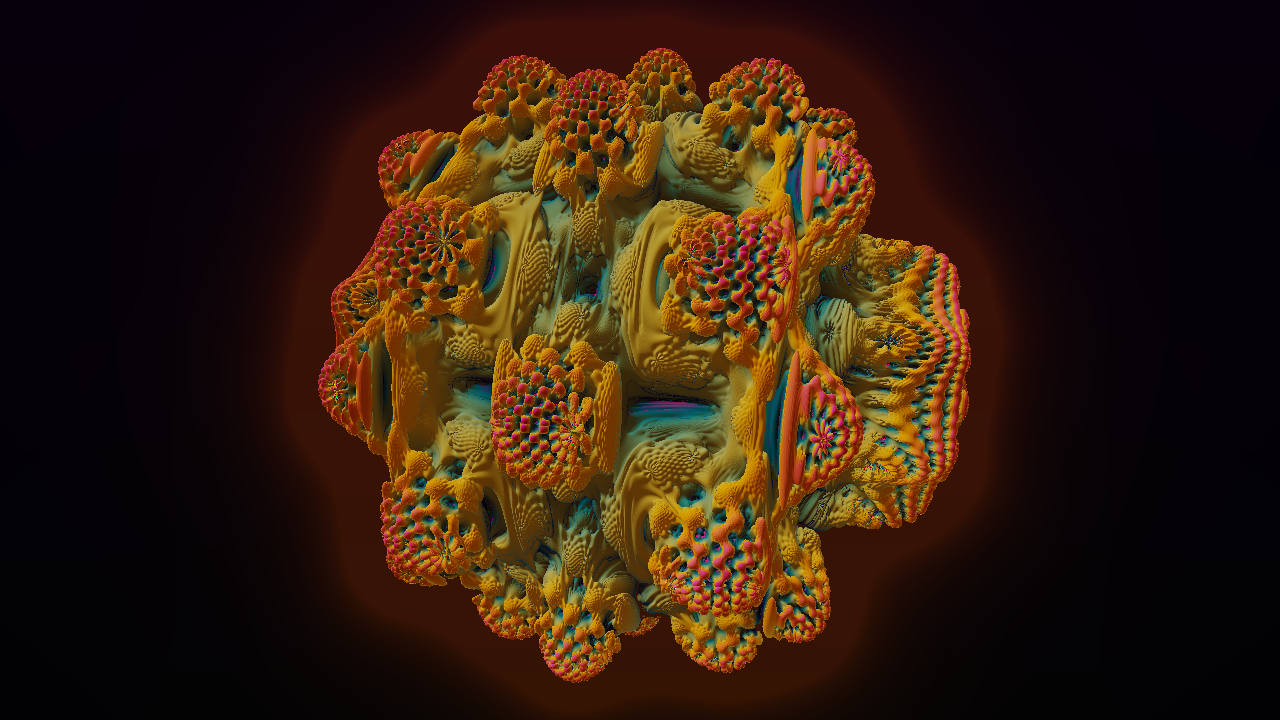
Raymarched field visual used by the Windows screensaver renderer.
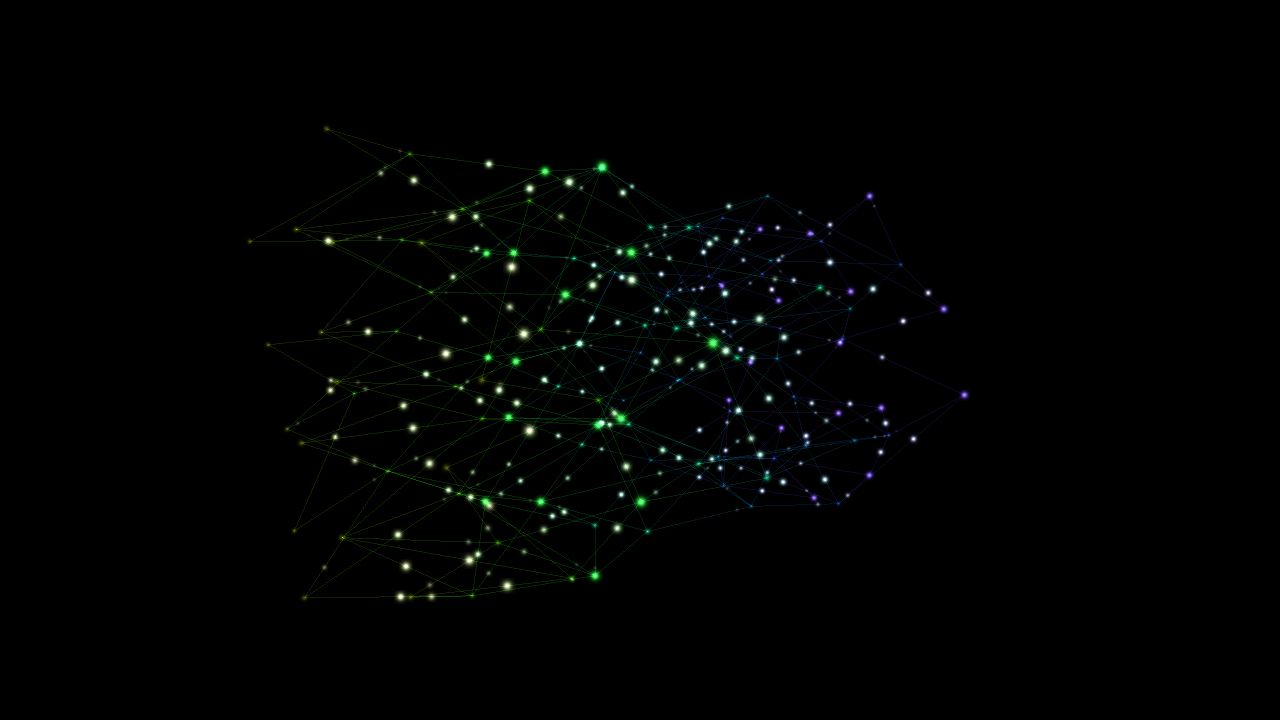
An OpenGL preview from the client visualization engine.

One of the high-load GPU effects used to verify graphics capability.

A low-interaction idle display rendered from the production worker.
How idle time becomes analysis
The client never receives human-readable records. It receives bounded numerical work units, performs a narrow part of the analysis, and returns the result to the queue. Staff see candidate scores and diagnostic traces, not the contributor's desktop.
- 01
Segment
Long-duration records are divided into small, anonymous work units.
- 02
Correlate
The client compares assigned slices against station baselines and candidate templates.
- 03
Return
Only the numerical result and health telemetry are returned to the Laboratories.
- 04
Review
Stratis-assisted scoring surfaces rare candidates for staff verification.
A returned unit is small, signed, and boring.
The Field Array is powerful because the unit is narrow. Contributors return numerical evidence that can be replayed, compared, and discarded. A useful return does not reveal the source record to the contributor or ask the contributor to trust an unbounded process.
randomized assignment identifier
program, station class, and review lane
bounded numerical slice, not a human-readable record
station/reference transform hash
score vector, timing, client version, and health telemetry
accepted, replayed, quarantined, or queued for staff review
accepted_return = signed_manifest && idle_window && score_vector
review_queue = accepted_return - duplicate_conflict - quarantine_flag
public_credit = contributor_id + campaign_id + completed_unit_count
Stable releases are exposed through the Laboratories' release endpoint only after Authenticode, certificate-window, and manifest review.
The client accepts only signed work manifests from the public stable channel.
Work starts only after the system is idle and yields when input activity resumes.
A small share of units are assigned twice to detect faulty, modified, or drifting clients.
Unexpected hosts, duplicate conflicts, and malformed returns are held outside the review queue.
Uninstall removes the worker, screensaver registration, and local work cache.
Representative accepted return from the public celestial subset. Source payload and contributor identity are excluded.
- Campaign
- CASP-NW / Night Watch coordinate review
- Disposition
- accepted
- Returned
- 2026-07-05T22:19:14Z
- Public hash
- wu:public:5f7c9b2e0d41
This public check validates format, campaign membership, and exact matches from a small published sample ledger. It does not reveal contributor identity, live disposition, or restricted work-unit payloads.
Built to stay out of the way
- Operating system
- Windows 10 or 11, 64-bit
- Processor
- x64 CPU with SSE4.2 or newer
- Memory
- 250 MB available during work
- Graphics
- OpenGL 3.3 compatible GPU or integrated graphics
- Network
- Intermittent HTTPS access to retrieve and return work units
- Permissions
- Standard user install; administrator approval may be required by local policy
What the client is not allowed to do
- No file-system indexing, document access, screen capture, microphone use, camera use, or keystroke collection.
- Only assigned work-unit identifiers, analysis output, timing, client version, and basic diagnostics are returned.
- The client pauses when the keyboard, mouse, input device, or remote session becomes active.
- Uninstall removes the client, screensaver registration, and local work cache.
Full policy language is maintained in the privacy notice.
Support asks for the minimum useful evidence.
Field Array support is built around narrow records: enough to confirm the client, the release channel, and the work-unit path, but not enough to turn a contributor's machine into a source of unrelated evidence. The boundary is operational, not promotional.
Until release notice is sent or the contributor asks for removal.
- Contains
- Email address and selected platform.
- Excludes
- Machine inventory, files, activity, or location.
Aggregated into quarterly public extracts; raw diagnostic rows age out of support review.
- Contains
- Client version, timing, work-unit identifier, and health flags.
- Excludes
- Personal files, screen contents, microphone input, camera input, keystrokes, and browsing activity.
Scientific record, attached to campaign and replay-control lanes.
- Contains
- Numerical score vector, manifest reference, and disposition.
- Excludes
- Contributor identity in public releases and any human-readable source payload.
Operational retention schedule, shortened when no active issue remains.
- Contains
- Correspondence, submitted diagnostics, and staff disposition notes.
- Excludes
- Credentials, documents, raw desktop logs, or unrelated system files.
SHA-256 and object generation match the stable manifest before first launch.
Failure action: Installer is rejected and the client does not start.
Windows Authenticode status and signer certificate are verified locally.
Failure action: Update and work requests remain disabled until a valid signed build is present.
Keyboard, pointer, session, and power-state activity are checked before every work window.
Failure action: The worker yields and returns its assignment to the local queue.
OpenGL 3.3 capability is tested separately from the numerical worker.
Failure action: Screensaver visuals are disabled while CPU work may continue.
Signed campaign manifests include a short validity window and replay lane.
Failure action: Expired work is discarded and a fresh assignment is requested.
Score vector shape, timing, client version, and duplicate-replay agreement are compared.
Failure action: Unexpected returns are quarantined outside the review queue.
| Issue | Send | Stored | Response |
|---|---|---|---|
| Signature or hash mismatch | Installer file name, SHA-256 output, download time, and browser used. | Support case, published artifact fields, and mismatch disposition. | Do not run the installer; wait for the next stable manifest if the public channel is paused. |
| Client never starts work | Client version, Windows version, power settings, and whether the machine reaches idle. | Client version, broad OS family, and support notes. | Confirm idle and power settings; the client intentionally remains quiet during active use. |
| High CPU or fan activity | Approximate time, client version, and whether input activity resumed. | Case note and any client health telemetry already returned by the worker. | Pause or uninstall if needed; support reviews the idle-governor log before asking for more. |
| Renderer does not display | GPU model, driver date, and OpenGL capability if available. | Renderer compatibility note and platform class. | The analysis worker can continue without visuals when graphics capability is insufficient. |
| Uninstall or removal question | Only the platform and installer version if removal did not complete. | Support case and removal disposition. | Use Windows Apps & Features; removal clears the worker, screensaver registration, and local cache. |
Will it slow down my computer?
No. The client starts work only after the machine is idle, checks keyboard, pointer, session, and power-state activity before every work window, and yields immediately when you return. The public stable channel is capped below five percent CPU while idle.
What is my computer actually doing?
It receives a narrow work unit from the Laboratories' signal record, performs numerical cross-correlation and candidate scoring, then returns the result for replay checks and staff review. Your machine never receives the complete field record.
What publisher should Windows show?
Windows should report a Valid Authenticode signature from CN="Ademero, Inc.", O="Ademero, Inc.", L=Lakeland, S=Florida, C=US. The installer was timestamped by Microsoft while the signing certificate was valid, so the signature remains verifiable after the signing certificate's issuance window closes. Also verify the SHA-256, file size, and object generation before installation.
What if the hash or signature does not match?
Do not run the installer. Delete that copy and send support the file name, SHA-256 output, download time, browser used, and the warning text you saw. Support compares those fields against the published artifact and records a disposition. Obtain the installer only from the Laboratories' download endpoint, never from mirrors or third-party download sites.
Will antivirus or SmartScreen warn me?
Some security tools warn on new or uncommon signed installers. Treat that as a reason to verify, not as a step to bypass. Run the published PowerShell hash and signature checks, confirm Windows reports a Valid signature from the expected signer, and stop if the warning names a different publisher or altered file.
What network access does it use?
The client uses outbound HTTPS to request assigned work, return numerical results, and check the signed stable-channel manifest. It does not open inbound ports, scan your network, advertise on the local network, or accept work from another host.
What diagnostics are retained?
Returned records include the assigned work-unit identifier, client version, broad platform class, timing, result shape, and health state needed to detect replay, drift, and faulty clients. They do not include your documents, screen contents, keystrokes, microphone, camera, browsing history, or file names.
How are updates handled?
Updates are accepted only from the signed stable channel. A new build must pass Authenticode validation, manifest checks, and the published release-control process before it can replace the local worker.
How do I remove it completely?
Use Windows Apps & Features. Removal unregisters the worker, screensaver, and local work cache. If removal does not complete, send only the platform and installer version so support can confirm the removal disposition.
Can I stop?
At any time. Pause or uninstall the client and the machine stops contributing. There is no account closure step and no hidden service you need to contact the Laboratories to remove.
Questions about the Field Array? Call the switchboard at (440) 805-2497 and ask for the Distributed Analysis Initiative.